
What Is Ergonomic Furniture and Why It Matters

Ergonomic furniture is designed to fit the user and the task, supporting neutral posture and reducing strain. In Canada, the category includes adjustable seating, desks, and workstation equipment, with the ergonomic chair market generating about US$968.6 million in 2022 and projected to reach US$1,576.7 million by 2030 at a 6.3% CAGR.
A homeowner might recognise the problem while reading on a sofa, with the head drifting forward and the neck becoming stiff, or while balancing a laptop on a dining table during a long video call. The furniture may look beautiful and feel soft at first, yet the body keeps making small corrections to compensate for unsuitable height, depth, support, or reach.
That is why what is ergonomic furniture deserves a more useful answer than “a chair with extra padding.” Ergonomics is a way of matching the room, the furniture, the person, and the task. A well-considered piece can support work, reading, conversation, and rest without forcing the body to adapt to an inflexible silhouette.
The Real Meaning Behind Ergonomic Furniture
A comfortable chair and an ergonomic chair aren't always the same thing. A deep sofa may feel inviting for a short visit, but if the seat pushes the pelvis forward and leaves the head unsupported, comfort can become a form of postural compromise.
Ergonomic furniture is furniture designed around the user. It supports a neutral position in which the spine, shoulders, hips, elbows, wrists, and feet can remain aligned with less effort. The aim isn't rigid military posture. The aim is a stable, adaptable arrangement that lets the user change position while keeping the body supported.
Comfort needs structure
Generic comfort often comes from softness, depth, and generous proportions. Ergonomic comfort adds adjustability, proportion, and material behaviour. A chair should allow the seat height, depth, back angle, and arm support to suit the person sitting in it. A desk should let the user place the keyboard, mouse, and screen without lifting the shoulders or bending the wrists.
The distinction becomes clearer in a dining chair used for occasional laptop work. Its shape may be elegant, but a fixed seat height and low back can become limiting when the task requires sustained focus. A task chair may be more suitable for work, while the dining chair remains appropriate for meals and conversation.
The category is wider than office seating
Ergonomic furniture includes:
- Office chairs, with adjustable support for focused tasks.
- Desks, including sit-stand surfaces and reconfigurable workstations.
- Recliners, which support changing positions during reading or rest.
- Accessories, such as monitor supports, footrests, and keyboard arrangements.
- Lounge and dining pieces, when their proportions help the body remain comfortably supported.
Canadian guidance treats ergonomics as a process of matching the furniture, tools, workstation, equipment, environment, worker, and task, rather than selecting one isolated product (CCOHS purchasing guidance).
Practical rule: A chair should make a good posture easier to maintain, not demand constant effort from the person using it.
A useful starting point for homeowners is to observe the body before observing the label. The guide to chairs for posture can help frame that assessment. The most reliable showroom tests then become simple: check whether the feet are supported, the lower back feels held rather than pushed, and the arms can rest without lifting the shoulders.
How Ergonomic Design Evolved From Craft to Science
Furniture once communicated status primarily through silhouette, ornament, and scale. In the eighteenth and nineteenth centuries, a chair's carved frame or upholstered profile could matter more than whether its seat depth suited the person using it.
By the early twentieth century, furniture makers increasingly considered body measurements alongside upholstery skill and visual proportion. Critelli's founding in 1914 places its family-run history within that broader era of North American furniture making, when craftsmanship began to meet more systematic thinking about seat height, depth, and everyday use.
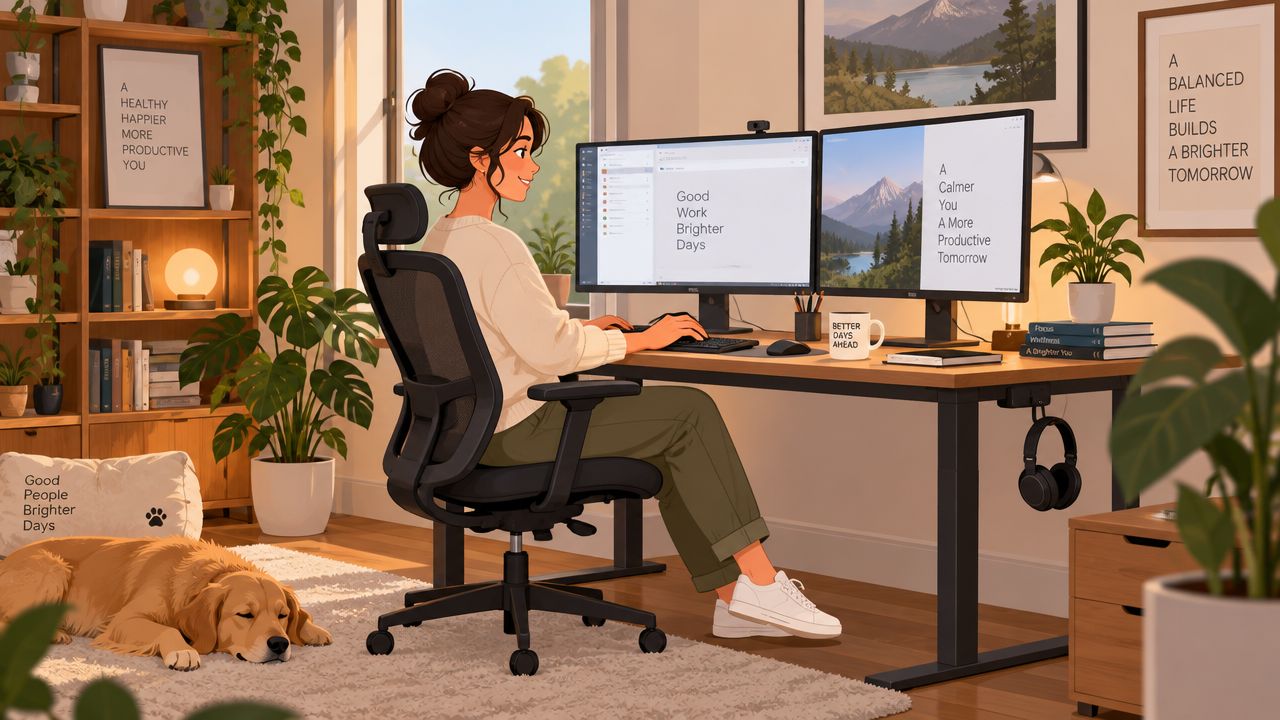
From posture to movement
The growth of office work changed the question. Furniture makers and workplace designers had to account for repeated reaching, typing, reading, and shifting between tasks. The task chair emerged from this need, bringing mechanisms and adjustments into a category that had previously focused mainly on appearance.
Later, Scandinavian design connected posture awareness with natural materials, restrained forms, and an appreciation for movement. Reclining became less about collapsing into a seat and more about allowing the body to change position while the chair continued to provide support.
Stressless, founded in 1971, belongs to this lineage. Its recliner approach uses mechanisms intended to follow the body's pivot points, showing how a chair can respond dynamically rather than hold the user in one fixed angle.
Heritage remains relevant
Modern ergonomic thinking doesn't reject craft. It asks craft to serve the body more intelligently. The quality of a frame, the behaviour of a cushion, the placement of a seam, and the precision of a mechanism all influence whether a piece remains supportive over time.
That connection between workmanship and fit is central to traditional wood joinery techniques. A design-forward room can still be body-aware, and a technically considered chair can still have heirloom quality.
The practical lesson is straightforward. Marketing language should lead to something observable, adjustable, or measurable. “Supportive” should translate into a backrest that meets the lumbar curve. “Flexible” should mean a mechanism that moves with the user. “Crafted for comfort” should be tested through proportion, materials, and use.
Key Features That Define True Ergonomic Furniture
A shopper doesn't need to memorise every product specification. A careful showroom test can reveal whether a chair has been designed as a system or decorated with ergonomic language.
Adjustability should be independent
Start with the parts that move. Seat height should change without altering the backrest. Seat depth should support the thighs without pressing behind the knees. Armrests should adjust in height and, where possible, width or pivot. The backrest angle and headrest position should respond to different tasks, from upright typing to relaxed reading.
Each adjustment should move smoothly and lock securely. If changing one setting disrupts another, the chair may offer less practical flexibility than its specification suggests.
Lumbar support should meet the body
Lumbar support belongs in the lower back's natural curve above the hips. It should fill that space without pushing the shoulders forward or creating a hard pressure point. A contoured backrest can be effective, but only when its height and depth suit the user.
The same principle applies to repetitive work. People who spend long periods typing, reaching, or using a mouse can benefit from reviewing practical guidance on how to prevent repetitive strain injury, while remembering that furniture is only one part of a healthy work pattern.
Materials distribute pressure
High-density foam can provide a stable foundation. Layered latex can add resilient cushioning. Breathable leather or performance fabric can influence temperature and how the surface responds during a long sit.
Material choice shouldn't be judged by softness alone. A cushion that compresses immediately may feel pleasant at first but provide limited structure later. A firmer seat may distribute weight more evenly when its shape and depth are correct.
Geometry determines freedom
A waterfall seat edge slopes away from the knees, helping reduce pressure behind the legs. The seat pan should broadly correspond to the user's thigh length, leaving room for support without forcing the knees forward. A recline range should allow movement while keeping the feet grounded or properly supported.
Stressless recliners illustrate how these features can work together. Their Plus system and Glide tracks are intended to coordinate recline, movement, and support rather than treating each feature as an isolated add-on. The result should be judged by the body, not the mechanism name.
For a more precise starting point, the seat depth measurement guide helps shoppers assess whether a chair's proportions suit their legs. The right question is not “Does this chair feel soft?” It is “Does this chair support the user's shape through the intended task?”
Canadian Standards and the Numbers Behind Fit
A chair can feel comfortable in a showroom and still fail once it is paired with a desk, monitor, and keyboard. Canadian standards provide a practical way to test the entire workstation rather than judging one piece in isolation. CAN/CSA-ISO 9241-5 sets ergonomic principles for user requirements, design, and procurement of office workstation equipment (Standards Council of Canada).
Ontario has no legislated standard specifically for office ergonomics, but employers remain responsible under the Occupational Health and Safety Act's general duty clause. Ontario guidance directs buyers to CSA Z412-17 when equipment must suit both the worker and the task (Ontario ergonomics guidance). That standard gives shoppers a useful benchmark for judging ergonomic office chairs in Canada, while the room setup determines whether the chair can perform as intended.
Useful benchmarks for a showroom visit
| Body Measurement | Recommended Fit Target | Why It Matters |
|---|---|---|
| Desk and seat relationship | The body should fit the work surface without raised shoulders or unsupported feet | Reduces compensation through the neck, back, or legs |
| Desk height | Canadian purchasing guidance cites 22.6 to 48.7 inches to accommodate approximately the 5th to 95th percentile of users (UBC furniture purchasing guide) | Makes adjustment useful across a wider range of body sizes |
| Elbow position | Elbows around 90 to 100 degrees, with relaxed shoulders | Keeps the keyboard and work surface at a manageable height |
| Monitor position | The top of the monitor at eye level, viewed from 30 to 60 cm away (CCOHS workstation guidance) | Limits forward head movement and unnecessary visual strain |
| Lower-leg clearance | Leave space behind the knees instead of letting the seat edge press into them | Supports circulation and reduces concentrated pressure |
These figures do not turn every lounge chair into office equipment. They establish a reference for task seating and explain why a fixed dining chair may not suit a full workday. Fit is a relationship between the chair, work surface, screen, and the person using them.
Visitors seeking interior design services in St. Catharines can apply the same reasoning to reading nooks, dining rooms, and hybrid spaces. The King Street showroom offers a place to sit-test furniture against these targets, while a design studio can carry the measurements into a complete room concept.
The result is greater independence. A shopper who understands posture, reach, clearance, and support can assess furniture in any setting, regardless of polished marketing. Ergonomic decisions then rest on observable fit and Canadian benchmarks, not on a label alone.
Who Benefits Most From Ergonomic Seating
A chair may feel comfortable during a ten-minute test and still fail during a full day of work, an evening of reading, or a shared meal. The right choice depends on the person, the task, and how the chair fits into the room as a whole. Canadian guidance, including CSA Z412-17, provides a useful reference for judging fit. The same principles apply beyond an office.
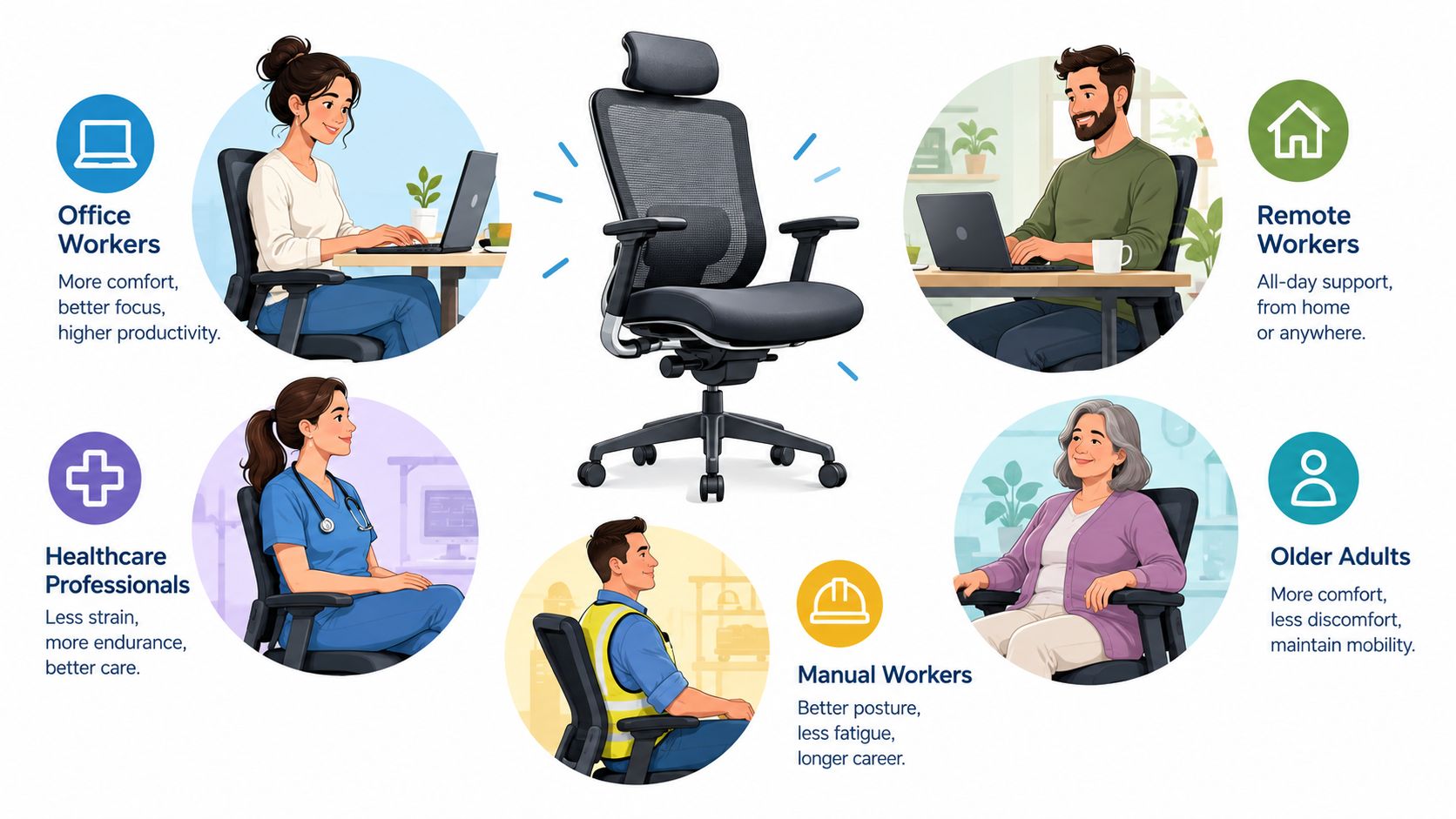
The home-office professional
A professional working primarily from home needs a chair that supports the entire workstation. Lumbar support, arm position, seat depth, and recline should work with the desk and monitor, allowing the user to move between typing, reading, and video meetings without repeatedly compensating.
Small mismatches become noticeable over time. Arms set too high can lift the shoulders, while a seat that is too deep can prevent the lower back from meeting the backrest. The chair is one part of a system, so its settings should help the workstation meet the user rather than force the user to adapt to poor proportions.
The hybrid worker
A hybrid worker may move between a dedicated desk, dining table, and secondary work surface. This arrangement favours a chair with clear, manageable adjustments and an upright position that suits several tasks. A mobile office chair can support concentrated work, while an adaptable recliner may serve reading or a quieter transition after work.
The room must support those changes too. Clear circulation, an appropriate table height, and a place to store or reposition the chair can matter as much as the mechanism beneath the seat.
The empty-nester
An empty-nester reclaiming a reading nook may want a deep, enveloping chair without losing control of posture. A glide-and-recline mechanism can support movement between upright reading, conversation, and film viewing. An ottoman or integrated foot support also allows the legs to rest as the back changes angle.
The useful test is whether the chair encourages position changes without making each adjustment difficult. Ergonomic seating in a living room should support relaxation while preserving easy entry, exit, and reach.
The design-led collector
A design-led collector expects measurable support and visual integrity. Proportion, upholstery, stitching, finish, and silhouette remain part of the decision, but appearance should not obscure how the chair fits the body.
Design-led ergonomic options may include a chair with a distinctive sculpted back and high adjustability. The guide to a design-led ergonomic chair can help readers consider how support and visual presence may coexist, without treating appearance as proof of ergonomic performance.
A chair earns its place in a considered room when its comfort is visible through use, not through exaggerated styling.
Before shopping, identify the dominant task. Work, reading, dining, conversation, and rest create different support needs. That decision helps a household evaluate the chair, its surrounding furniture, and the room layout against practical fit rather than a label alone.
Evaluating Ergonomic Claims Without Getting Sold To
Price can signal materials, mechanism quality, warranty coverage, and finishing, but it doesn't guarantee fit. A premium chair set incorrectly may serve the body less well than a mid-tier chair adjusted to the user's dimensions.
The most useful comparison is not premium versus inexpensive. It is claim versus testable feature.
What the tiers usually promise
| Claim Category | Premium Tier | Mid-Tier | Budget Tier |
|---|---|---|---|
| Structure | May describe reinforced bases, refined mechanisms, and durable upholstery | Often combines a stable frame with selected adjustments | May prioritise basic construction and a simple visual profile |
| Support language | Can include multi-zone lumbar systems or detailed fit explanations | Often offers general lumbar adjustment and recline | May use broad “ergonomic” wording without explaining fit |
| Standards | May publish certification or compliance information | May provide selected technical specifications | Often provides limited published standards information |
| Warranty | May offer extended frame or mechanism coverage | Usually offers defined but narrower coverage | Often provides shorter or less detailed coverage |
| Adjustment | Multiple independent settings | Partial adjustment | Fixed or limited settings |
This table isn't a purchasing verdict. It is a prompt to ask better questions. If a retailer describes a chair as certified, the buyer should ask which standard applies and which component it covers. If a chair promises lumbar support, the shopper should feel whether the support meets the lower back without pushing the torso forward.
A disciplined trial sit
A showroom test should last long enough for the body to notice pressure and imbalance. A practical sequence is:
- Set the seat height so the feet rest flat or on proper support.
- Check the lower back for steady contact without a sharp pressure point.
- Confirm knee clearance by checking that approximately two fingers fit behind the knee.
- Place the arms so the shoulders stay relaxed and the elbows remain near the work height.
- Recline through the available range while keeping the feet grounded or supported.
- Change task position from upright work to reading and notice whether the chair continues to follow the body.
Showroom test: If the chair feels comfortable only in one carefully arranged position, its flexibility may be more cosmetic than practical.
Budget features such as a mesh back or racing-seat outline aren't automatically poor choices, just as premium materials aren't automatically right. Fit, adjustment, support, and the relationship between the chair and the desk matter more than a dramatic specification list.
A retailer willing to encourage a proper trial sit gives the shopper useful information. A retailer that avoids real testing leaves the claims unexamined. The buyer's responsibility is not to reject premium furniture, but to ensure that the premium pays for durable fit, considered materials, and mechanisms that will be used.
Bringing Ergonomic Thinking Into Your Whole Room
A chair can feel supportive in a showroom and still work poorly at home if the desk, lighting, and surrounding furniture force the body into awkward positions. Canadian workplace guidance treats seating as part of the workstation, alongside sit-stand desks and the wider setup. The useful design unit is therefore the room system, not the chair alone. An IndexBox summary also notes that Ottawa Police reported furniture recommendations in 122 of 148 ergonomic assessments in 2025, showing how often furniture forms part of a practical adjustment.
Start with three zones
The task zone contains the desk, chair, monitor, keyboard, and mouse. Canadian guidance recommends placing the monitor at eye level, the keyboard near elbow height, and the mouse close to the keyboard on the same level. These relationships let the chair support the body without making the desk compensate for poor seating.
The transition zone makes movement between work and rest easier. It may be a clear route, a small surface for changing activities, or a sit-stand option. Its purpose is to prevent the room from directing the user into one fixed posture for every task.
The rest zone includes lounge seating, an ottoman, reading light, and a rug that defines the area. A recliner should allow changes in position, while nearby furniture must leave enough room for its mechanism to move safely.
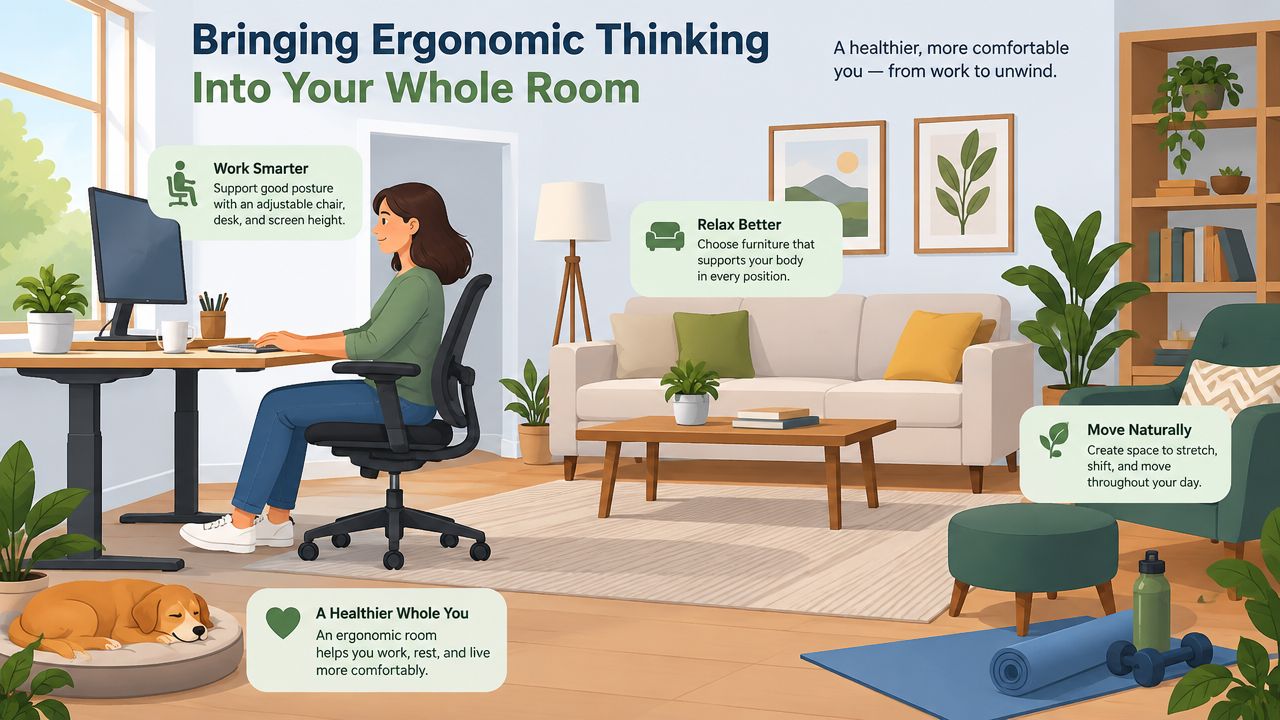
Let the room support the chair
Lighting changes how closely someone leans toward a screen or book. Foot support affects whether the seat can be set at the correct height. Desk depth affects monitor placement. A rug can anchor work and rest areas, helping a multi-use room feel organised rather than improvised.
A complete room concept coordinates furniture scale, clearances, surface heights, upholstery, lighting, and colour. The result should fit the architecture while supporting the tasks performed there. Ergonomics becomes part of the room's composition, not a separate object added afterward.
For homeowners in the Greater Niagara area and across Southern Ontario seeking quality furniture, custom pieces, and rugs, the same principle applies. A hand-knotted rug can serve as Art for Your Floor and establish the foundation of an interior, while carefully chosen seating and tables shape how people move and work. Comfort can look considered rather than clinical.
Critelli Furniture, a family-run destination founded in 1914, brings seating, custom furnishings, rugs, and interior design services together across the Greater Niagara, Hamilton, and Toronto markets. Its white-glove delivery service carries the plan from showroom selection through inspection, assembly, placement, and packaging removal, helping the finished arrangement transfer smoothly from the showroom to the home.
Designer's Insight: A bold leather chair gains balance beside a neutral hand-knotted wool rug. The rug gives the chair's craftsmanship room to stand out while preserving visual calm.
For a room that needs support and refinement, Critelli Furniture offers a design studio, selected seating, custom furniture, and a Rug Market for establishing the room's foundation. Seeing the materials in person and discussing the arrangement with a designer can help connect comfort, proportion, and everyday use.